Recently we had to let some people go, and I faced a dilemma: I want to deactivate their accounts, but at the same time, I’d like to keep their names in the User fields of the forms and in the record history.
I haven’t check the current behavior for history, but deleted users definitely disappear from User fields.
Would it be possible to have a checkbox or a parameter (like the one we have for roles) to mark users as inactive, meaning:
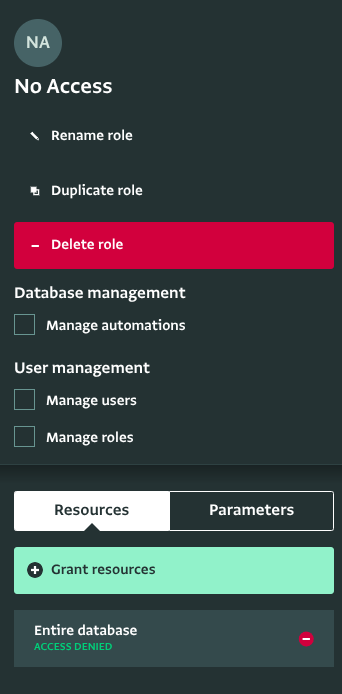
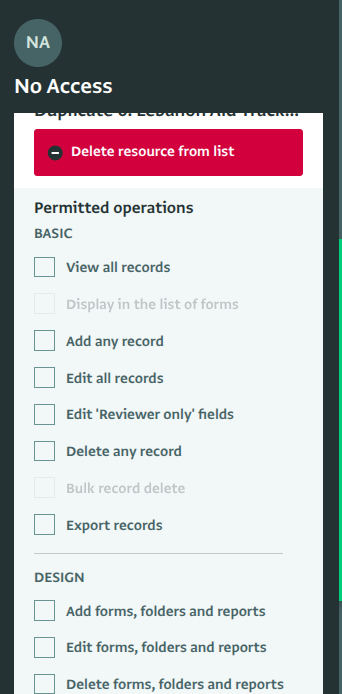
That’s a great point! In this case, I’d suggest creating an “inactive” role. You can grant that role access to at least one resource (with all permissions revoked),
and then assign it to users you want to deactivate. Users assigned to the inactive role won’t count toward your total active user count, but their names will still appear in User fields and record history.
You’re right by the way, if you delete a user, their name disappears from User fields, but if you re-add them, their information will show up again.
Thank you for the workaround!
In fact, I had already done exactly what you suggested — moved users to the group without rights. I just didn’t know that users without any rights don’t count toward the total active user count. That’s great news!