Hello folks!
As I am working for a multi-country organization I need to duplicate forms to different country databases. I was able to do it once using the “Export Fields” buttom inside the form, and then re-importing into the new database, only to adjust the reference forms (they will be lost). Recently, the “Upload XLS” was no longer working, and I could not upload the form again. The bad thing is that ActivityInfo does not export fields in XLSform template, but it demands the XLSforms templates to re-import, which makes no sense at all. Any idea of how to solve this issue? Thanks!
1 Like
Hello M.Mosaner,
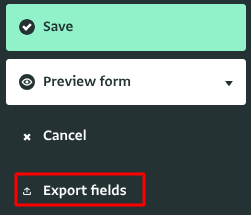
Use the “Export Fields” option in the form design to create a CSV file with all the fields from Form A.
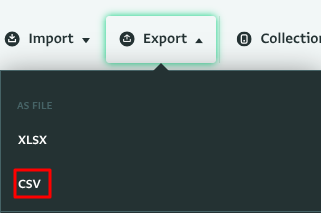
Also, export the data from Form A in CSV format.
In your second database, create the duplicate Form B and use the “Paste field list from spreadsheet” option to recreate the fields.
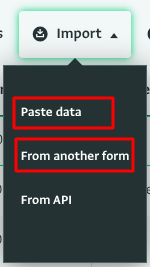
Use the Import option
Paste data or from another form to import the records to your new form B.
Match the form fields with the import pasted and proceed to import the records to Form B.
Recreate the reference fields and adjust formulas in calculated fields.
Let us know how it goes.
Thanks,
Timothy