Field-level permissions will make ActivityInfo’s permission system even more powerful. While you can currently specify highly granular record-level permission using simple or complex rules, restricting access to specific fields containing PII requires placing those fields in a seperate subform.
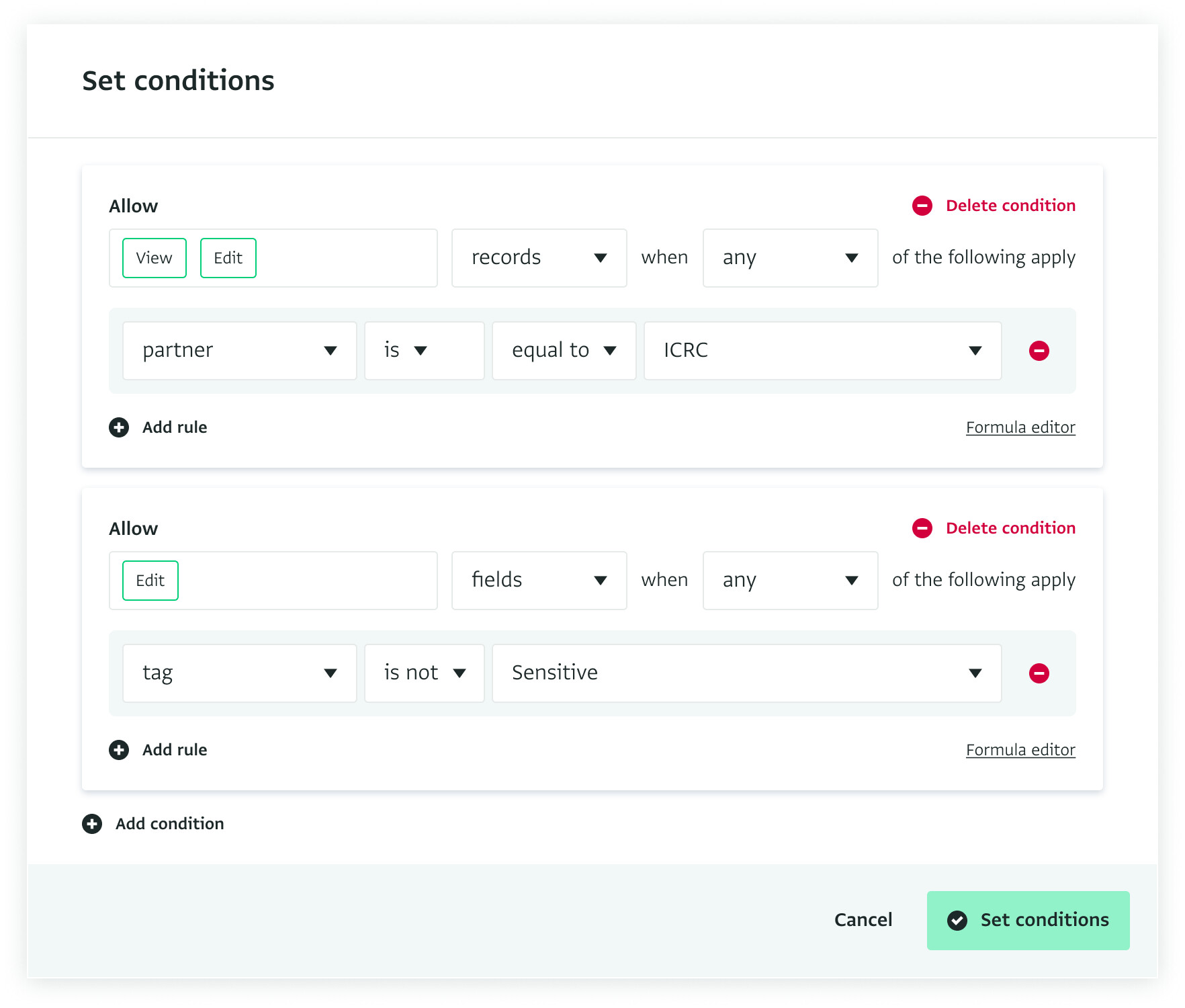
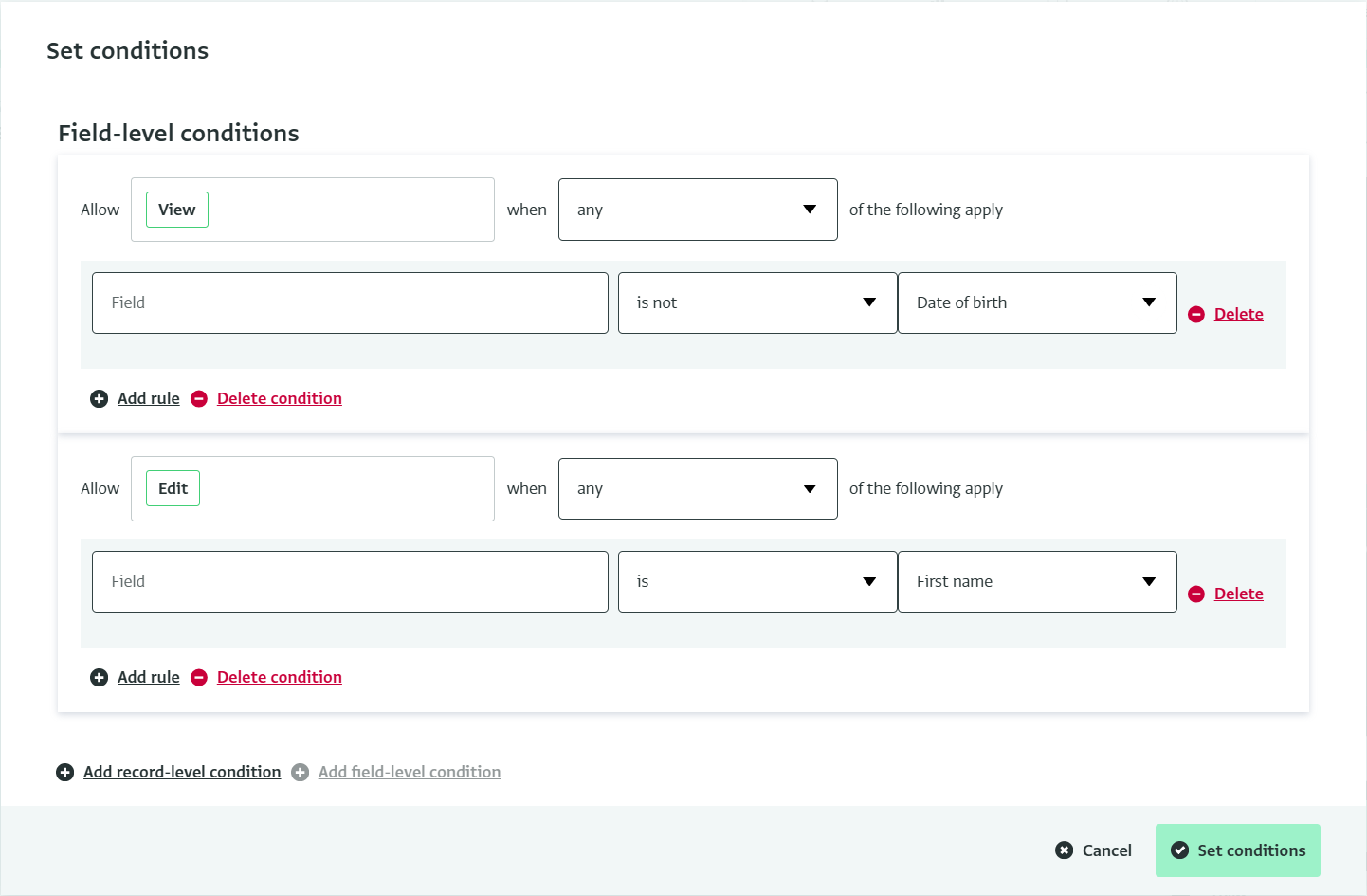
This feature, currently in development, will add an additional type of condition in the “Manage Conditions” dialog when defining a role.
Some important points that we’ve decided on (but are still open to feedback):
We will start with defining rules about specific fields in specific forms, so you will have to write a rule for each form. In the future, we have a “tags” feature planned that would allow you create tags that define categories of fields such as “PII”, “Sensitive” and then write a single field-level rule that applies to all matching fields in the database. This will need to come later.
We haven’t seen a compelling use case for combining record-level conditions with field level conditions. (For example, allowing only access to incident narrative text when Province = “North”) so we are planning to keep record-level and field-level conditions seperate. Are we missing a need here?
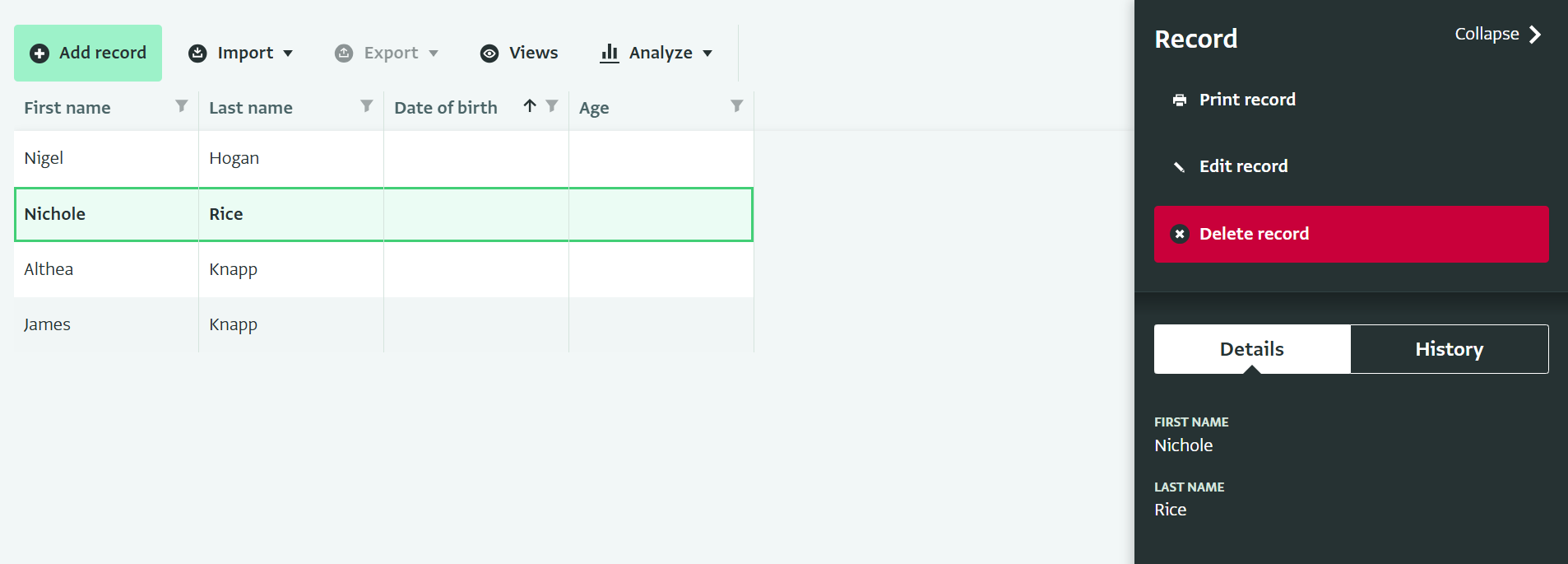
Definitely plan to support making calculated fields visible that depend on hidden fields. This allows you to share a calculated age group with an analyst while not sharing the birth date on which it is based.
Support synchronizing such calculated (masked) fields might come after an initial beta release as we will need to make big changes to the way we synchronize data.
Grategful any validation / critique you have of the above. Examples of rules would also be helpful for the testing process.
Thanks for this Alex, much appreciated. This is a much needed feature for us so great to see it moving forward.
For us we essentially are minimising those with add/edit permissions to ensure data integrity, however for some of our View only roles they want to be able to “comment” if they see something that doesn’t quite look right, so to be able to allow them to add a comment into a single field relating to that would be great without them being able to edit the actual data they are commenting on.
The only big thing is relating to rightsholder reach numbers. For data security, we obviously are locking down the permissions to the RH registry sub forms as few people as possible should have access to this personal information. However, all other stakeholders should be able to see the numbers they relate to, e.g. so many males, females, age categories, with/without disabilities etc - currently they cannot see this in parent forms, but with field permissions, this will be resolved.
Those are our 2 main critical reasons for needing this functionality ASAP - hope that helps!
The first thing I would like to know is whether this feature has already been implemented or not. The truth is that we work with personal data (such as first and last names) in the ‘parent forms’ (it wouldn’t make much sense to have confidential data in a subform, because there is not a 1 → n -1 relationship), for example, as you use in the EMR template. The problem is that, although the field can be hidden in the table view or a predefined view can be created where this field is not present, if a user customises the view, they can reselect and therefore make that field visible again. Do you think it is possible to mark a field as ‘sensitive’ and, in the role configuration, add the option that certain people cannot see sensitive fields?
The feature is currently under development and has not yet been released to the general public. We are currently working on the next version of it, and it will soon be released to all users.
Regarding your case, if you want to hide sensitive data from a specific group of users, I think that field-level permissions should work for that.
In the role configuration, you can set field-level permissions to control which fields users with that role can view or edit. With these permissions in place, users will not be able to see the values of those redacted fields in the table, the record detail panel, or the record history.
Even though the values are hidden, the fields will still appear in the available columns list. Let me know if this works for you.
Just to be sure: this field-level permissions options are not available when people have a full licence, that means with design and management permission options, right? Because I don’t want supevisors to be able to view the name and surname of people interviewed (is not interesting for them) , but instead only data clerks can do it.
Field-level permissions apply to all user roles. When you set field redaction or edit permissions on a specific form, those settings override the view and edit permissions defined at the database or folder level within the same role.
This works the same for full licence users since the design and management permissions are not affected. In your use case, you can add field redaction on the form that contains the name and surname of the interviewees for the supervisor role.
I hope this answered your question. I have also attached the documentation page on how to set up field-level permissions for your reference.