Hello there!
Is there a function like CreatedBy.Email that allows to retrieve the Email of the user who created the register?
Or a way to simply show in a table, the field of who has created/ edited a specific register?
Thank you!
Hello there!
Is there a function like CreatedBy.Email that allows to retrieve the Email of the user who created the register?
Or a way to simply show in a table, the field of who has created/ edited a specific register?
Thank you!
Hello dear, Same issue, I don’t find any way, I don’t know if there is any option to add in the views option
Hello Quentin!
If there’s a user field in the form, you can create a calculated field to display the email using users.email. Otherwise, I’m afraid there’s no direct way to show the creator’s email in the table interface.
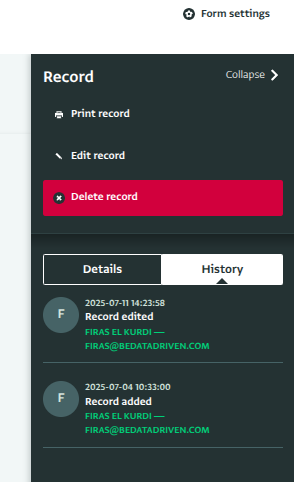
Alternatively, you can view who created and last edited a record in the record history section of the Record details panel.
Hope that helps for now!
Hello Firas, Thanks a lot, I appreciated your support.
Could you please provide me with the steps for using the calculation to add the user’s email? It is more beneficial where it will be added as a couloum and will be in the extracted data.
Hello all,
Indeed, having it as a Calculated Column can help to build automation after with PowerAutomate, for example if the field is edited by other or if there is a deadline coming soon according to a date field.
I would recommend to add the construction of the Function in the development pipeline, i guess it should not be that complicated as ActivityInfo store that info.
Thanks!
Hello Quentin,
I ran into the same problem today. If you have any Python IDE (I use jupyter), it’s just a few lines of code.
import json
import requests

formId = "<your table id>"
token = "<your API token>"
data = {
    "rowSources": [
        {
            "rootFormId": formId
        }
    ],
    "columns": [
        {
            "id": "_id",
            "formula": "_id"
        },
        {
            "id": "<any column name you want to include>",
            "formula": "<any column name you want to include>"
        }
    ],
    "filter": "<if you want to limit the output>"
}

# Here we retrieve all the records for which we want to know the authors
r = requests.post("https://www.activityinfo.org/resources/query/rows", json=data, headers = {'Content-type': 'application/json', 'Accept': 'application/json', 'Authorization': f'Bearer {token}'})
records = r.json()

# For each record we request its history and take the first entry, when the record was created
for record in records:
    result = requests.get(f"https://www.activityinfo.org/resources/form/{formId}/record/{i['id']}/history", headers = {'Content-type': 'application/json', 'Accept': 'application/json', 'Authorization': f'Bearer {token}'})
    history = result.json()
    record['User'] = history['entries'][-1]['user']['name']
    record['E-mail'] = history['entries'][-1]['user']['email']

# Print all the columns separated by tabs (good for copying into a spreadsheet)
    for column in record:
        print(record[column], end = "\t")
    print("\n", end = "")
Or, if you want the output to be pretty printed, you can replace the last tree lines with this:
    print('.', end = "")
print('\n', end = "")
for record in records:
    for column in record:
        length = max((len(item[column]) for item in records), default = 0)
        f = "{:<" + str(length + 1) + "}"
        print(f.format(record[column]), end = "\t")
    print("\n", end = "")
Feel free to ask for more details if you’re not familiar with API but ready to give it a try 
I was indeed thinking of retrieving the email, on my side i prefer using PowerAutomate so other colleagues can retake the work in case i win the lottery, codes are usually difficult to pass to others.
But i think ActivityInfo can develop something quite quickly no @Firas ?
Hello all,
So i’ve indeed managed a workaround with PowerAutomate:
I’ve managed a workaround for getting User’s email automatically !
So i needed a PowerAutomate indeed, but it works:
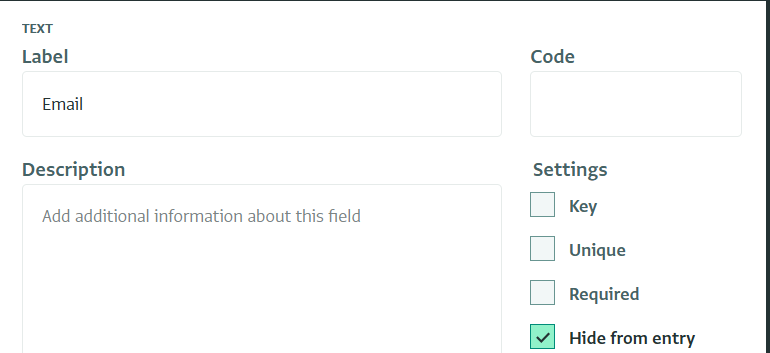
I have a form with a a text field called “Email”, hidden in the form:
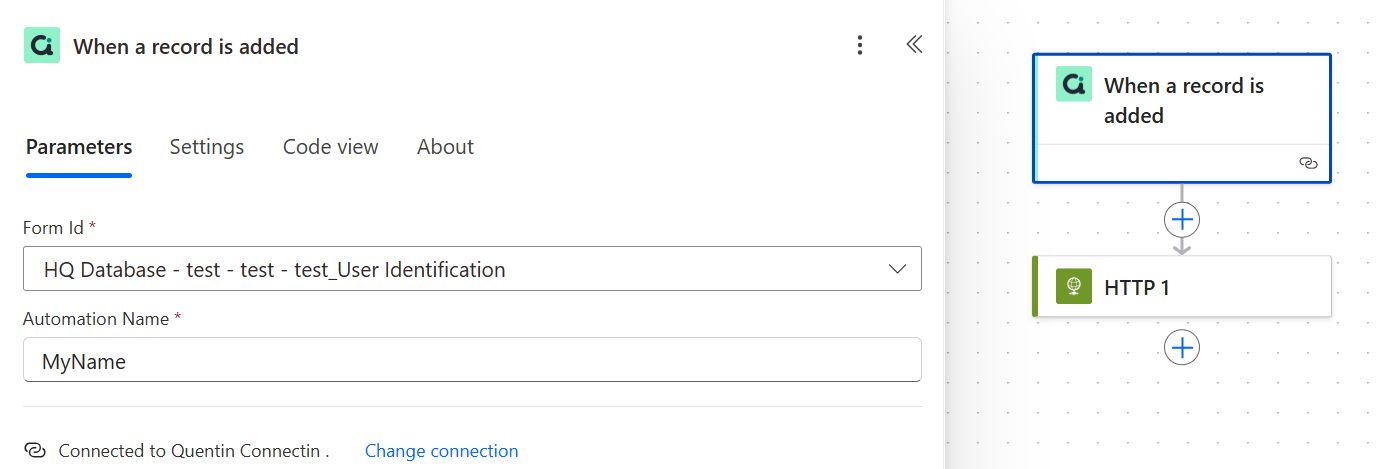
Then i have a Powerautomate like that:
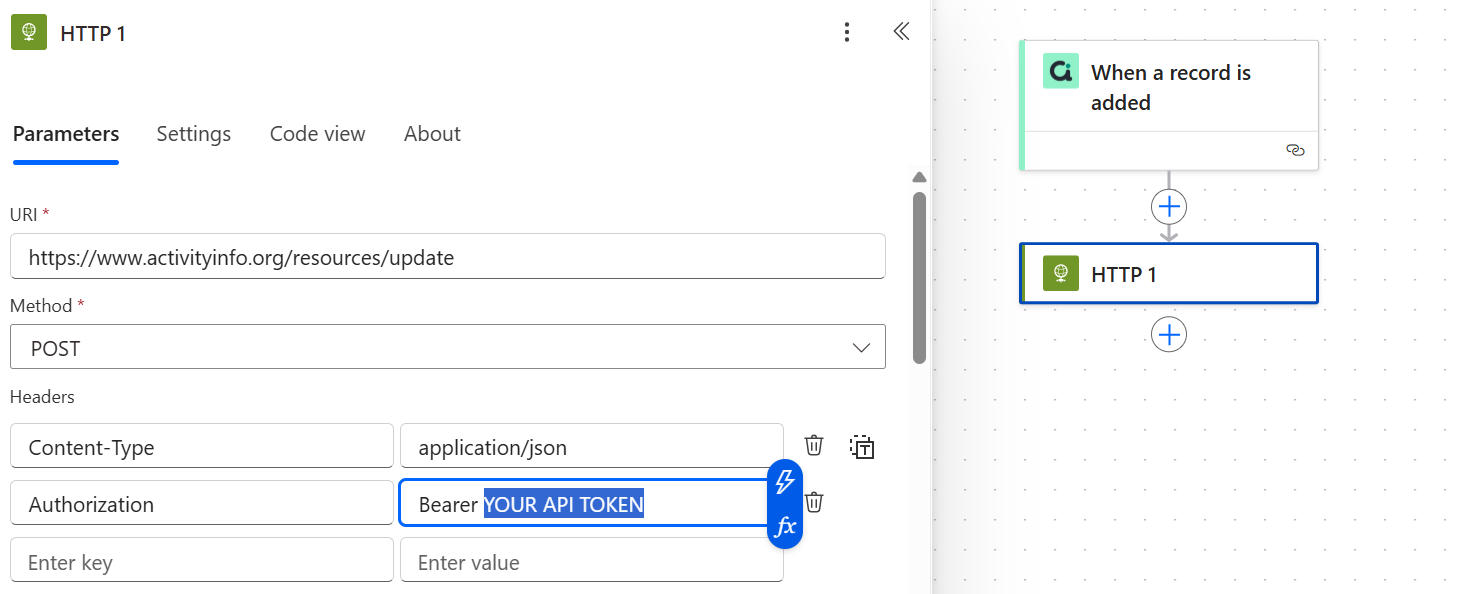
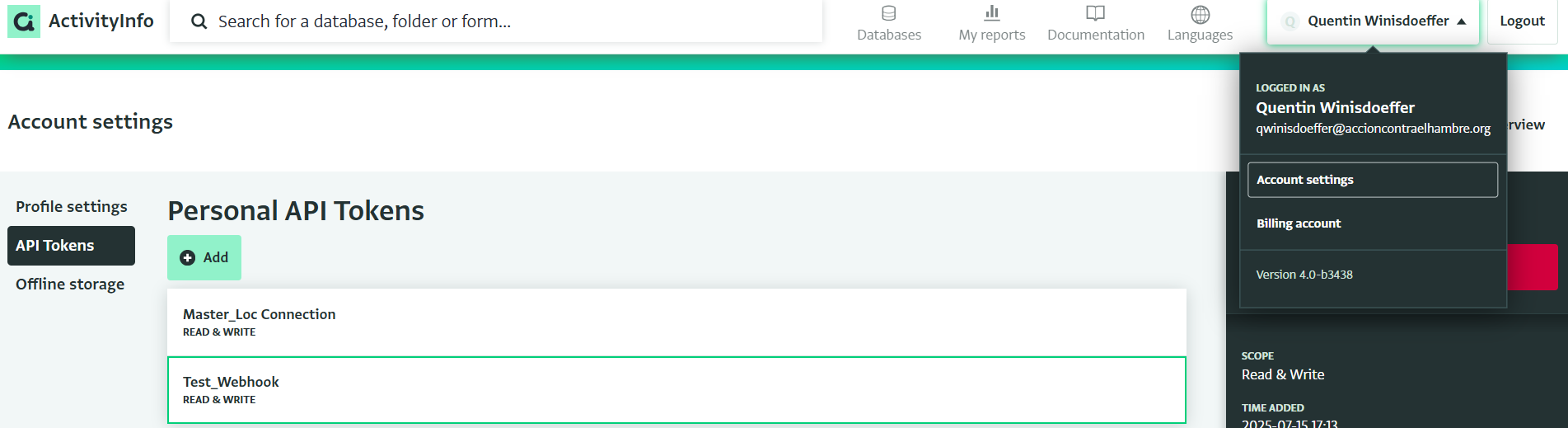
Here you need to put your API token available in ActivityInfo perfil:
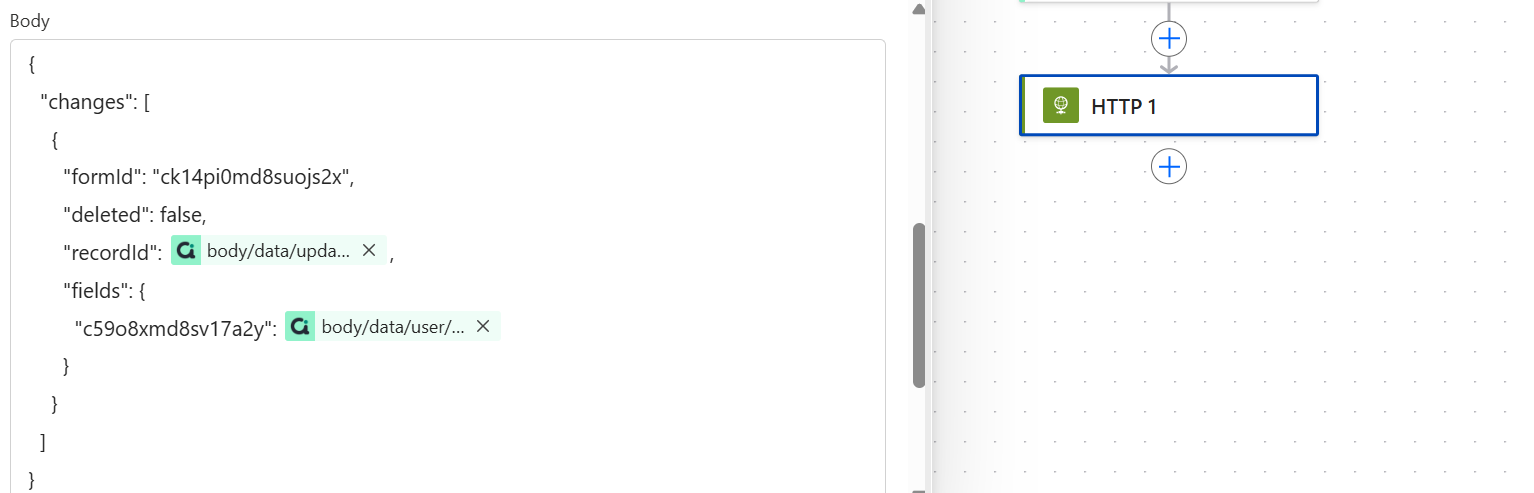
And in the body of the HTTP request:
The issue is to identify the form Id & the field ID.
{
“changes”: [
{
“formId”: “ck14pi0md8suojs2x”,
“deleted”: false,
“recordId”: @{triggerOutputs()?[‘body/data/update/recordId’]},
“fields”: {
“c59o8xmd8sv17a2y”: @{triggerOutputs()?[‘body/data/user/userEmail’]}
}
}
]
}
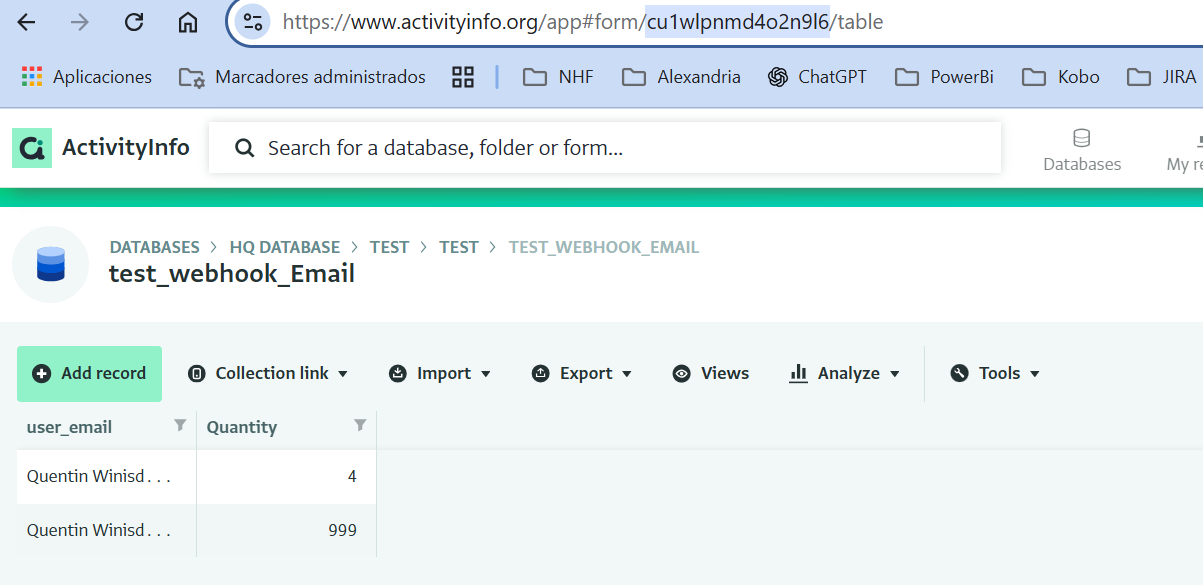
For the Form ID is quite simple:
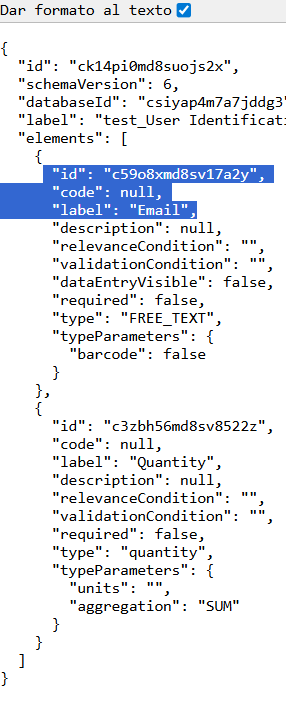
For the field ID, you need to enter that in your browser:
https://www.activityinfo.org/resources/form/{*YOURFORMID*}/schema
Wich gives you something like that:
And there you find the register ID for the text Email field
So at the end:
The flow runs instantly:
It works! Also by using username instead of email! Nice job!!