Hello everyone! 
We’re back with more product news this week! We are excited to announce a series of upcoming improvements that make it easier to work with draft records, especially in the interactive table.
User feedback showed us that it isn’t always clear that draft records are saved on your device and still need to be submitted to the server. These updates guide you through every stage of working with a draft.
Here is a summary of the latest updates coming up next week:
- ‘My drafts’ button: A new My drafts button in the table toolbar shows how many draft records are waiting to be submitted. Click it to filter the table to show only your draft records.
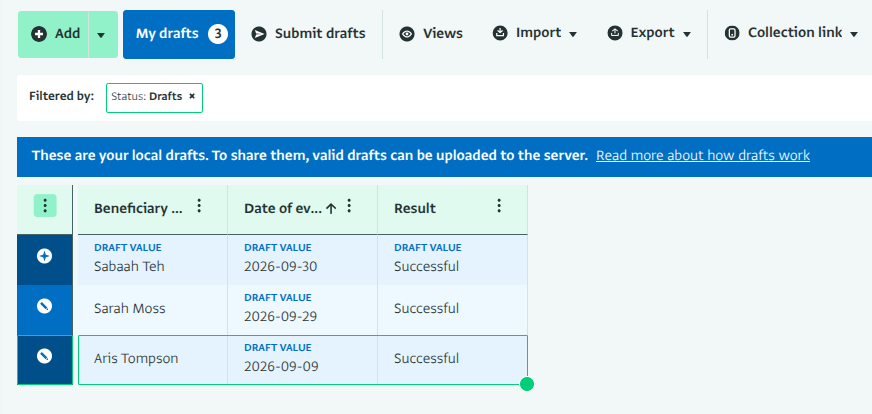
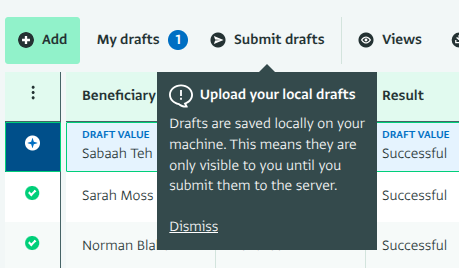
- ‘Submit drafts’ button: The Submit button has been renamed Submit drafts for clarity, and a tooltip explains how draft records work. The button disappears when you have no drafts. If none of your drafts are valid yet, it is grayed out until you correct them.
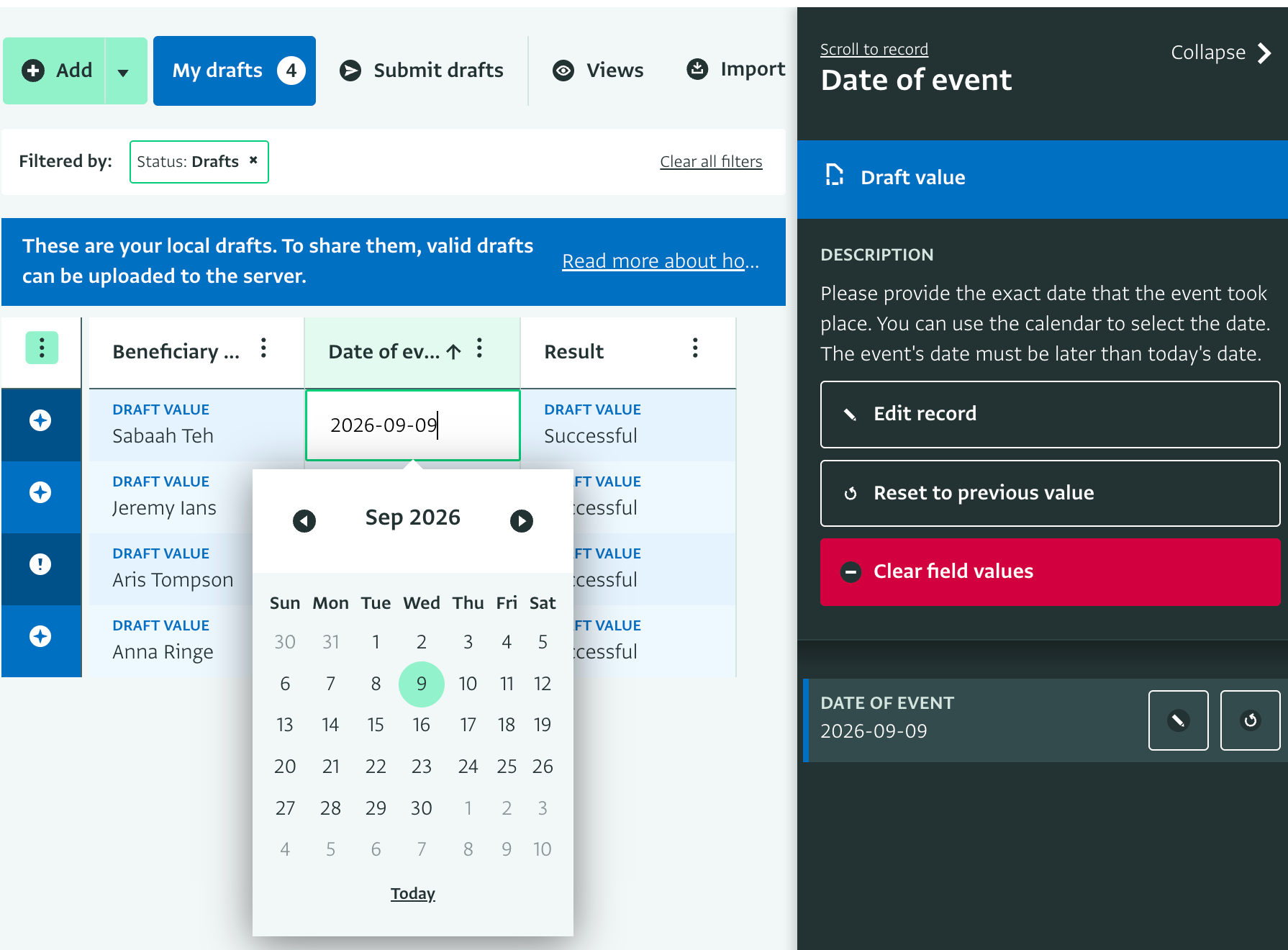
- Field guidance in the side panel: When you double-click a cell, the side panel opens automatically and shows the field’s description, just like in the data entry form. You can see what needs to be added or corrected and fix it directly in the table.
- Highlighted draft rows: The whole row of a draft record is now highlighted in blue, not only the cells with draft values. This makes it easy to tell draft records apart from submitted ones.
We can’t wait for you to try out these enhancements. You can find more information in our documentation on Understanding drafts in ActivityInfo and Interactive table.
If you have any questions or feedback, let us know below!