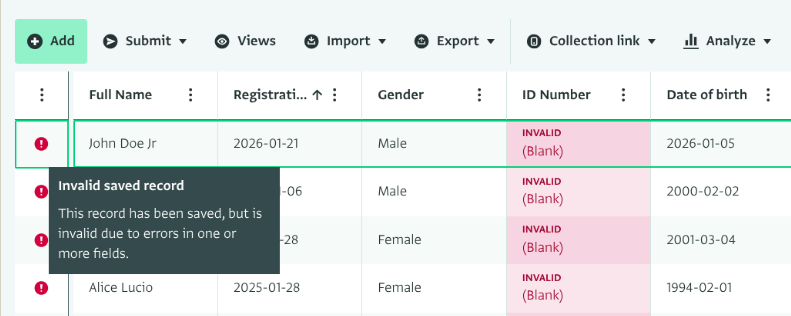
When a record is marked as invalid, it is easy to assume that a validation rule has failed. However, validation rules are only one part of the broader framework that determines whether a record is valid.
In ActivityInfo, a record is considered valid only when it satisfies all constraints defined in the form. These include required fields, Key and Unique constraints, relevance rules, input masks, validation rules, and even default values that may interact with other constraints.
The validity indicator in the interactive table reflects the overall status of the record. The interactive table does not change how validity works. It makes records that infringe constraints visible and easy to review.
Indeed, we have many fields with validation rules that should only apply when the record is new. For example, we have reference fields that only shows ongoing projects or open bases (related to a project form"). Evidently, when we close the project (or the base), that record will turn invalid.
I don’t understand very well: how can I change my validation rule in order to apply only while the record is entered?
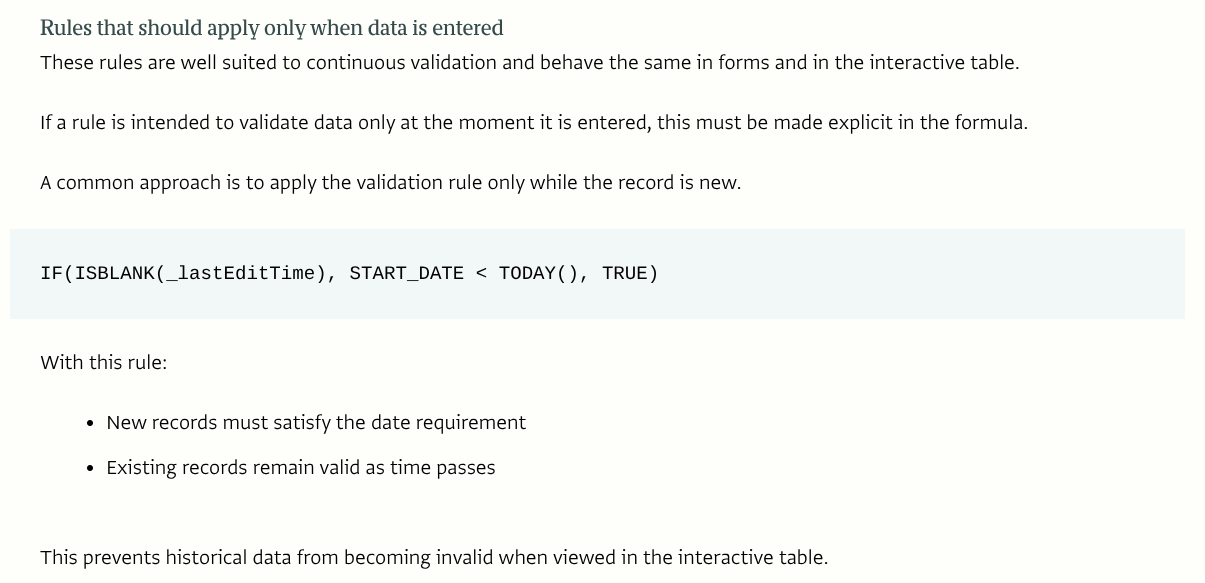
The idea is to insert your existing validation rule formula into the formula structure below:
IF(ISBLANK(_lastEditTime), [insert your validation rule formula here], TRUE)
This would effectively check for your validation rule only when _lastEditTime is blank (which would be the case only when you are adding a new record). After the record has been added, the rule will always evaluate to TRUE, which will ensure that your records will always remain valid thereafter.
I asked this question because yesterday I tried the solution you just gave me, but it didn’t work (all the records became invalid). Now I’ve just tried it again and it seems to work!