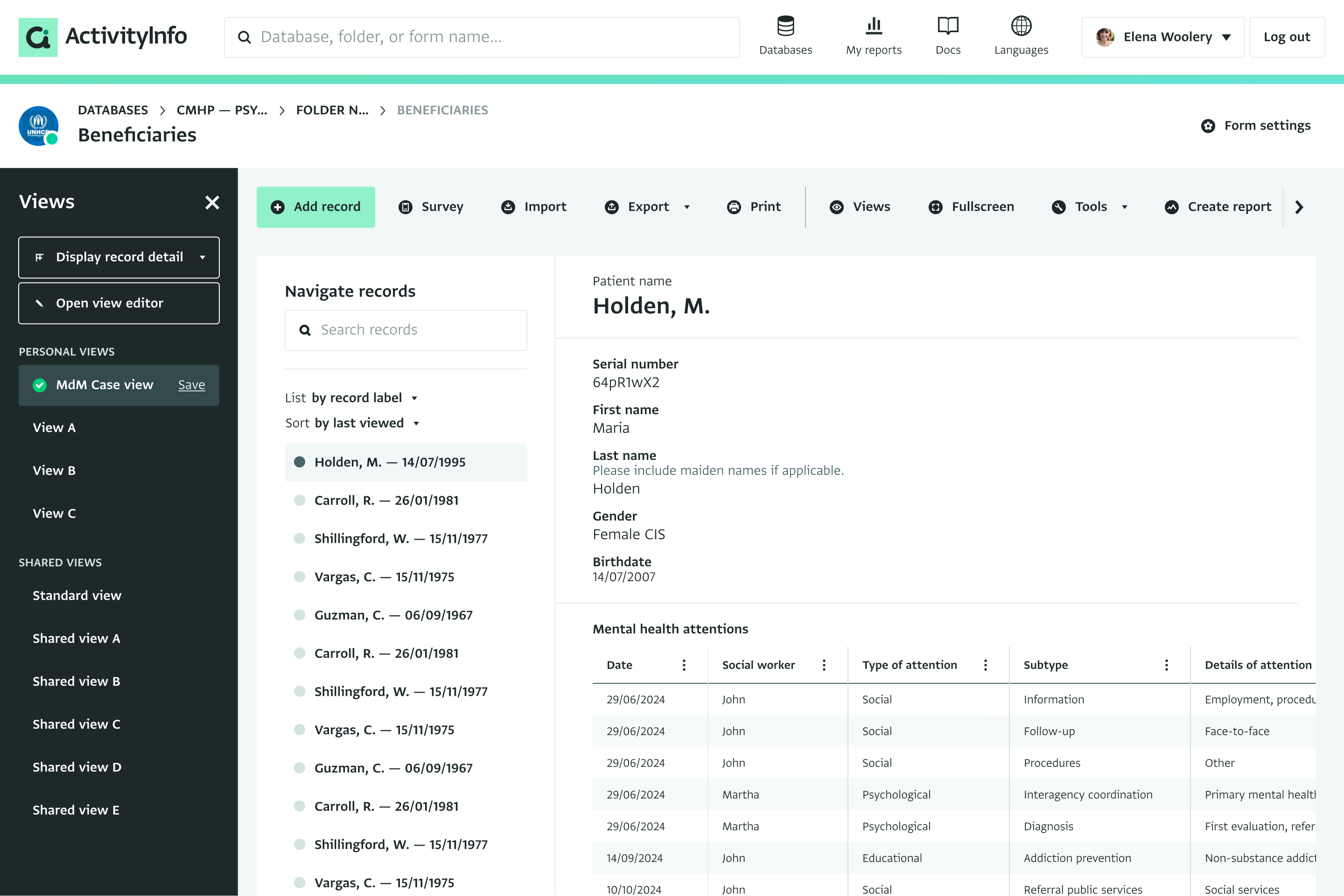
When building case management systems, it’s common to have a “case” form, as well as many subforms for tracking different activities associated with the case, such as home visits, health care service, referrals, or other activities. A common request is to have a single view that encapsulates all the of details of the case in a single “pane of glass”.
To meet this need, we are developping a new form view called the “Record Detail View” that will allow an administrator to design a compact view for case workers. View our design prototype
The first version of this feature will include a few components:
Header
Field List - select which fields will be displayed prominently
Table - a tabular view of subrecords that can use calculated table functions to combine, summarize, or otherwise transform subforms.
We expect that this feature will be very useful for case management, but it will also be useful in a number other contexts, such as preparing a detail view for projects, grants, or facilities.
Do you think this feature will also be useful to your work? What would you be important to include in a record detail view?
Speaking about useful features, I’d love to see attachment previews here.
Also, what do you think about custom buttons? Ones that could set values in fields or create records.
For example, I could review a case in the Detail view and press Checked button, which would update the corresponding Status field in Household, Case and Beneficiary forms.
Or I could press an Approve button that creates a record in the Approvals subform — even though I don’t have the right to view this subform and read other people’s opinions.
We definitely have both of these things in mind for the evolution of the record detail view, even if won’t be included the first version we release.
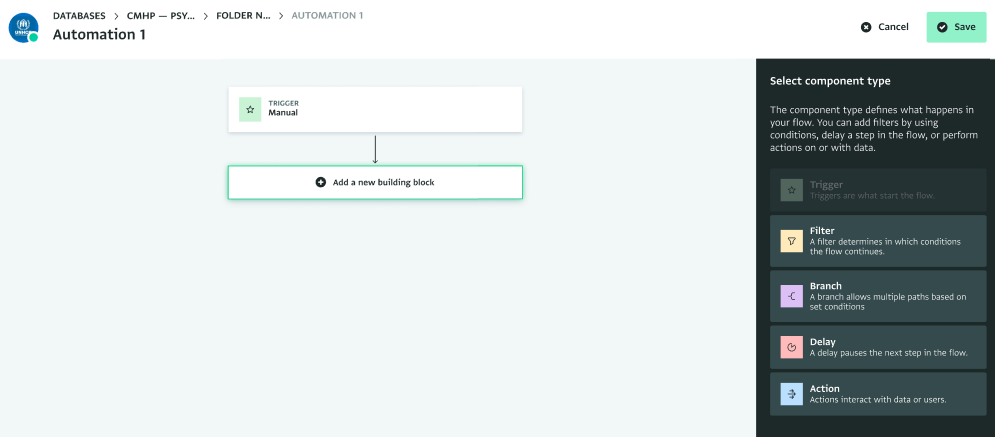
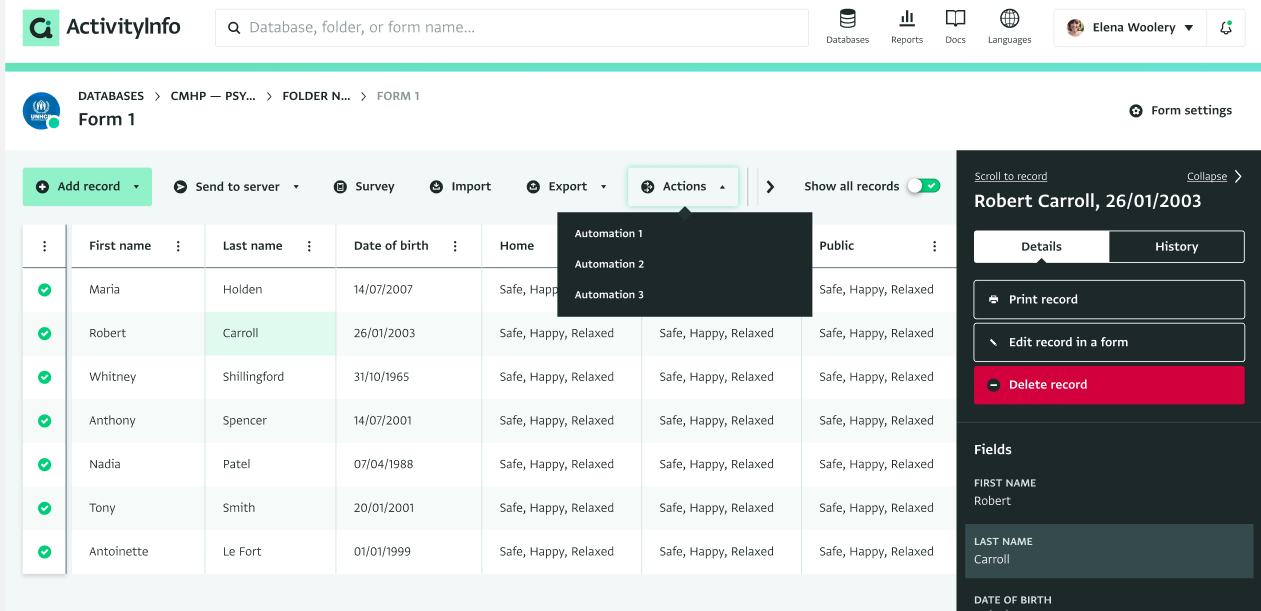
For actions, we’re calling these “manual automation triggers” and will also eventually be part of the automations features. You would define them in automations and then could add actions like "Update the ‘Approval Status’ field to ‘Approved’: